

















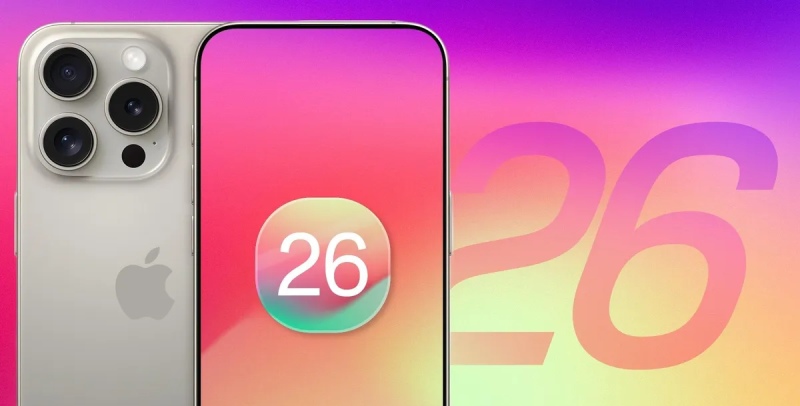

iOS 26 developer beta 7 has been made available by Apple, and it includes changes to key apps, a revamped UI, and enhancements to Apple Intelligence. Older iPhone models will continue to receive security updates, but the update is only available on the iPhone SE (2nd generation) and later models.
The seventh developer beta version of iOS 26 has been made available by Apple, indicating that the updated iPhone software is getting close to its official release, which is anticipated in approximately one month. Along with various enhancements to core apps and services, the update brings a new look and improved Apple Intelligence features.
The most recent beta versions of iOS 26 have been made available by Apple; Developer Beta 7 and Public Beta 4 can be downloaded immediately. A week after the last beta release, the updates include minor improvements instead of significant new features.
iOS 26 offers “a stunning new design, powerful Apple Intelligence capabilities, new ways to stay connected in the Phone and Messages apps, and exciting updates to CarPlay, Apple Music, Maps, and Wallet,” according to Apple and its official statement. The goal of these changes is to improve the iPhone’s use, visual appeal, and connectivity.
The interface and usability of iOS 26 have been gradually improved in previous beta releases. Improved Control Center legibility, better Safari menu organization, and more accessibility features, including borders in High Contrast Mode, were the main focus of beta 2. While Beta 4 undid these transparency changes and brought back notification summaries for news and entertainment apps, Beta 3 added new wallpaper colors and made minor transparency tweaks to tab bars. Apple’s efforts to enhance the Apple Intelligence feature, which had been put on hold because of worries that text summaries could change the meaning of headlines, included this.
In response to user feedback, Beta 5 added a toggle for the classic Camera mode swipe direction, restored the Select button in Mail, and made additional usability improvements. Later, the Camera swipe toggle was eliminated in Beta 6, but new ringtones, quicker animations, and other improvements were included. In order to provide customers with an early peek at the impending features, the most recent developer beta, Beta 7, is anticipated to closely resemble the next iOS 26 public beta 3.
All iPhone models starting with iPhone 11 and the iPhone SE (2nd generation) will support iOS 26. However, the new features and design of the most recent version will not work with earlier iPhones like the iPhone XR, iPhone XS, and iPhone XS Max. Security updates will be available for these older models for a while. Advanced summarization and smart suggestions are examples of features that depend on Apple Intelligence and require the newest hardware, such as the iPhone 15 Pro, iPhone 15 Pro Max, or any iPhone 16 series device.
Apple is focusing on both design and utility enhancements with iOS 26. Customers should anticipate more customization options, improved connection with Apple services, and a more seamless, linked experience across system apps. Additionally, the update improves usability and accessibility, guaranteeing that the iPhone will continue to be suitable for a variety of consumers.
The reported return of blood oxygen monitoring for Apple Watch users in the US is among the most significant developments. Last year, this feature was turned off because of a patent battle with the health technology company Masimo, which restricted SpO2 readings on the country’s Apple Watch Series 9, Series 10, and Ultra 2 models. Reports state that Apple has modified the technology to compute data on the associated iPhone and display the findings in the Health app.
Additionally, there is a new battery settings toggle for Adaptive Power Notifications. In order to prolong battery life, iOS 26 introduces Adaptive Power mode, which makes performance adjustments including lowering display brightness, slowing down specific processes, or switching to Low Power Mode when the battery approaches 20%. Users can now select whether to receive notifications whenever the mode is active thanks to the new setting.
A Drafts filter has also been added to the “Filter by” option in the Messages app. Users can more readily view discussions with unsent messages thanks to this feature.
In addition to these modifications, small interface changes have also been seen throughout the system. The build number 23A5326a is included in the update.
From the iPhone 11 series to the most recent iPhone 16 models, a large variety of iPhones are compatible with the iOS 26 beta. However, only the iPhone 15 Pro, iPhone 15 Pro Max, and iPhone 16 range will have access to Apple Intelligence features.
How to install iOS 26 Public Beta
By signing up for the Apple Beta Software Program, users can test out the new features. Installing the beta version involves:
- Visit the Apple Beta Software Program website to register.
- Navigate to Settings > General > Software Update on your iPhone.
- After selecting iOS 26 Public Beta, tap Beta Updates.
- Wait for the beta to show up after you go back to the Software Update screen.
- Start the download after accepting the terms and conditions.
The installation process starts on its own after the download is finished. Before installing any beta software, Apple recommends backing up your device.
Later this year, eligible devices should receive the stable version of iOS 26 as a free over-the-air (OTA) upgrade.