












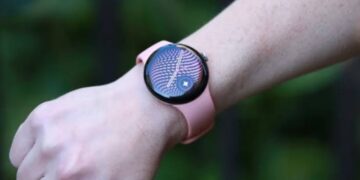





Smartwatch and tracker device settings pages have been redesigned as part of the Fitbit app’s ongoing modernization. A new Device Settings tab for smartwatches and fitness trackers has been subtly added by Google to the Fitbit app. The Fitbit app now resembles the Pixel Watch companion app in terms of appearance.
A huge preview of your device and current watch face appears at the beginning of this update, which is for Fitbit OS-powered devices. Below is a list of the last sync, battery level, and connection status. The button to sync now is located in the upper-right corner. Years had passed since the last UI with prominent tiles for many features.
After that, you receive a row of cards for tiles, apps, and watch faces. The Wear OS companion app for the Pixel Watch is obviously the source of inspiration for the top half of the user interface. Tapping returns you to the same management interface.
On a Fitbit Sense 2, the “Settings” list contains menus for:
Notifications: App notifications, text messages, and phone calls
Device preferences: Device lock and wrist preference
Google: Maps and Wallet
Fitbit alerts and reminders: Goal celebrations, movement reminders, and high & low heart rate
Tips & support: Help, device guide, and tutorial
System: Updates to the software and disconnect
Smart features: On-wrist calls and Amazon Alexa
Fitbit tracker user interfaces are comparable, and in recent weeks, a makeover of the device settings has been implemented.
Fitbit has been making page-by-page updates to its iOS and Android apps for the past year. The app settings were modified in June of last year, and all health statistics—aside from food logging—have been replaced with a more contemporary interface and charts.
There has also been an upgrade to the settings menu itself. For example, the following settings are now available on a Fitbit Sense 2:
Notifications (text messages, calls, and app alerts)
Device Preferences (screen lock, wrist side)
Google Services (such as Maps and Wallet)
Fitbit Alerts & Reminders (heart rate warnings, move reminders)
Tips & Support
System (disconnect, software updates)
Smart Features (such as on-wrist calling and Alexa)
This is not Fitbit’s first significant design change. Google has been updating the app frequently over the past year, adding new layouts and a more streamlined user interface that is reminiscent of other Google apps. Additionally, there will be more changes in the future. Google’s new Material 3 Expressive design will be used to redesign the Fitbit app.
Therefore, even if you might be taken aback the next time you launch the Fitbit app, be aware that it’s part of Google’s larger strategy to standardize the appearance and feel of its apps.
One part of the forthcoming Material 3 Expressive revamp of the Fitbit app for Android has already been previewed by Google. That should set the tone for the dark theme.